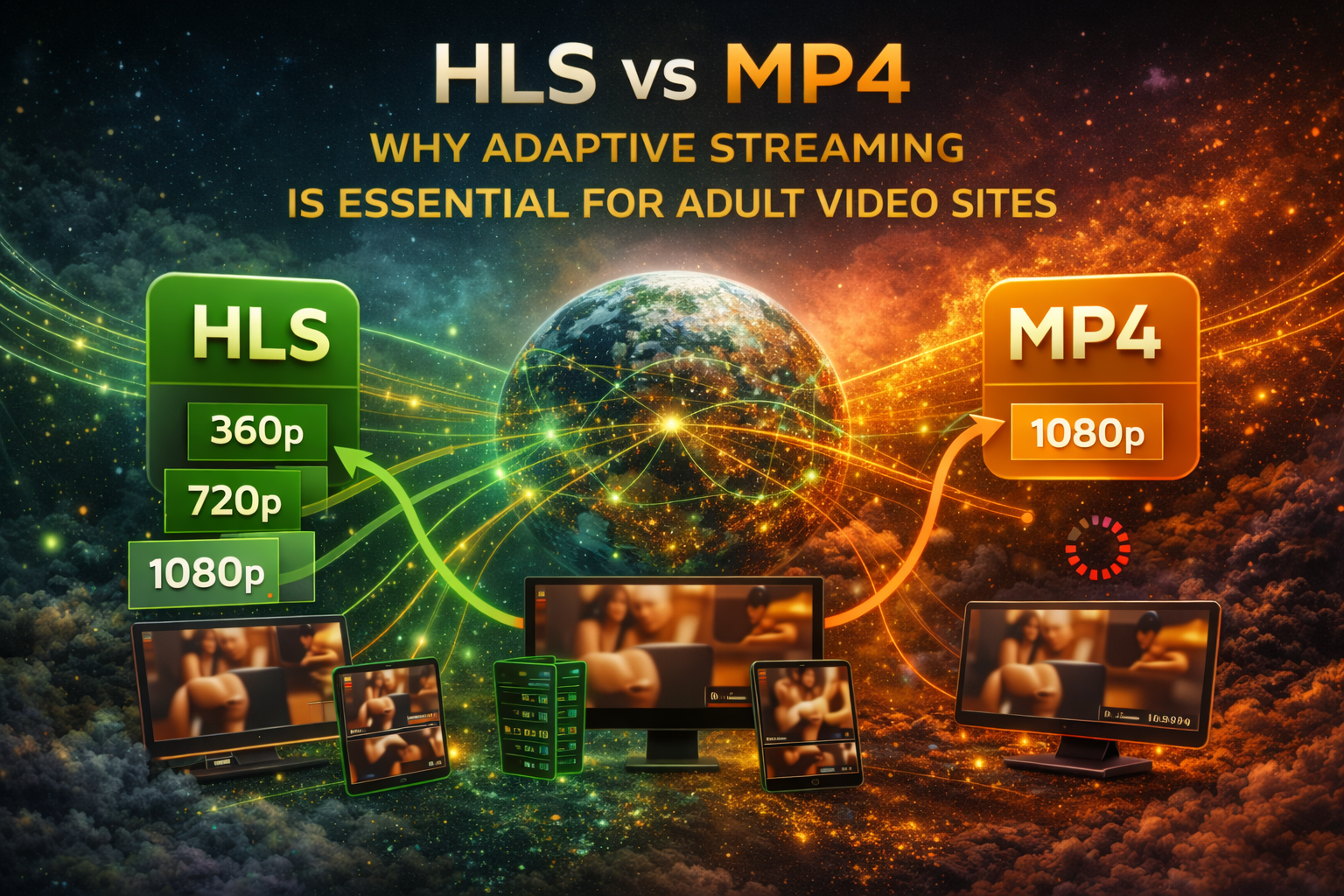
HLS vs MP4: Why Adaptive Streaming Is Essential for Adult Video Sites
If you’re running an adult video site in 2026 and you’re still serving progressive MP4 files, you’re leaving money on the table, frustrating your users, and paying more for bandwidth than you need to. Adaptive streaming — specifically HTTP Live Streaming (HLS) — has become the industry standard for a reason, and the gap between sites that use it and sites that don’t continues to widen.
This isn’t just a technical nicety. It directly affects your bounce rate, watch time, user satisfaction, bandwidth costs, and ultimately your revenue. Let’s break down exactly why, and how to implement it properly.
The Problem with Progressive MP4
Progressive download — the traditional way of serving MP4 files — means the browser downloads the video file sequentially from beginning to end while playing it simultaneously. It’s simple, it’s universal, and it was perfectly adequate in the early days of web video. But it has fundamental limitations that become critical problems at scale.
No Quality Adaptation
A progressive MP4 is encoded at a single quality level. If you encode at 1080p for desktop users, mobile users on cellular connections will buffer endlessly. If you encode at 480p for mobile compatibility, desktop users get an inferior experience. You’re forced to choose between quality and accessibility — or maintain multiple separate files and somehow detect which one to serve.
The common workaround — offering a quality selector (360p, 720p, 1080p) — requires the user to manually choose, which most won’t do. And if they start watching at 1080p and their connection degrades, they have to manually switch and lose their playback position. It’s a terrible user experience.
Buffering and Stalling
With progressive download, the browser must download video data faster than it plays or the video stalls. Network conditions fluctuate constantly — especially on mobile. A user watching on 4G might have excellent bandwidth one moment and near-zero the next as they move between cell towers. Progressive MP4 cannot adapt to these fluctuations. When bandwidth drops, the video buffers. When the video buffers, users leave.
Studies consistently show that even a single buffering event reduces average watch time by 30–40%. Two or more buffering events and most users abandon the video entirely. For an adult video site where watch time directly correlates with subscription retention and ad revenue, buffering is literally costing you money.
Wasteful Bandwidth
Progressive download starts downloading the entire file from the beginning, even if the user only watches 30 seconds. On a 500MB video file, a user who watches the first minute and leaves has consumed perhaps 50–100MB of bandwidth — bandwidth you paid for that generated no value.
Worse, if the user scrubs to a specific timestamp, the browser may need to download everything between the start and that timestamp (depending on the MP4’s index placement), or it may need to make a new HTTP range request, which still involves overhead and often results in downloading more data than strictly necessary.
Poor Mobile Experience
Mobile users account for over 60% of adult video traffic, and they face the worst combination of challenges: smaller screens (where ultra-high quality is wasted), variable network conditions (where adaptive quality is most needed), and data caps (where bandwidth efficiency matters most). Progressive MP4 fails on all three counts for mobile users.
CDN Inefficiency
CDN caching works best with small, frequently-requested files. A single large MP4 file is less likely to be fully cached at any given edge server, especially for less-popular content. This means more origin server fetches, higher latency, and higher bandwidth costs.
What HLS Is and How It Works
HTTP Live Streaming (HLS) was originally developed by Apple and has become the dominant adaptive streaming protocol on the web. Its adoption is near-universal: every major browser, every mobile operating system, every smart TV, and every streaming device supports HLS playback.
The Core Concept: Segmented Delivery
Instead of delivering a video as a single large file, HLS breaks the video into small segments — typically 2 to 10 seconds each. Each segment is a standalone file that can be requested, delivered, and played independently.
These segments are organized by a manifest file (with the .m3u8 extension) that tells the player which segments exist, in what order, and at what quality levels. The player reads the manifest, then requests segments one at a time as needed for playback.
Adaptive Bitrate (ABR)
Here’s where HLS transforms the viewing experience. The video is encoded at multiple quality levels simultaneously — for example, 360p, 480p, 720p, 1080p, and 4K. Each quality level has its own set of segments and its own stream manifest.
A master playlist (the top-level .m3u8 file) lists all available quality levels with their bandwidth requirements:
| Quality | Resolution | Bitrate | Target Audience |
|---|---|---|---|
| Low | 640x360 | 800 Kbps | Slow mobile connections |
| Medium | 854x480 | 1,400 Kbps | Average mobile |
| High | 1280x720 | 2,800 Kbps | Good WiFi / broadband |
| Full HD | 1920x1080 | 5,000 Kbps | Fast broadband |
| 4K | 3840x2160 | 14,000 Kbps | Fiber / high-speed |
The HLS player continuously monitors the user’s actual download speed. If bandwidth is high, it requests segments from the highest quality level the connection can sustain. If bandwidth drops, it seamlessly switches to a lower quality level for the next segment — without any interruption in playback.
The user sees a momentary quality reduction instead of a buffering spinner. Playback never stops. The transition is often so smooth that users don’t even notice it happened.
How the Player Makes Decisions
The ABR algorithm in the HLS player considers several factors when choosing quality levels:
- Measured throughput: How fast are segments actually downloading? This is the primary signal.
- Buffer level: How many seconds of video are already buffered? If the buffer is healthy, the player can afford to try a higher quality. If the buffer is dangerously low, it drops quality immediately.
- Segment download time: If a segment takes too long to download relative to its duration, the player knows bandwidth is insufficient for that quality level.
- Device capabilities: Some devices can’t decode 4K video regardless of bandwidth. The player factors in hardware limitations.
This decision-making happens automatically, in real-time, for every single segment. The result is the best possible quality at every moment, with zero buffering.
Technical Setup: Building an HLS Pipeline
FFmpeg Encoding
FFmpeg is the industry-standard tool for encoding video into HLS format. The encoding process takes your original video file and produces multiple quality renditions, each segmented into small files, plus the manifest playlists that tie everything together.
A typical HLS encoding pipeline produces:
- Multiple quality renditions: Each at a different resolution and bitrate
- Segment files: Small .ts (Transport Stream) files, typically 4–6 seconds each
- Stream playlists: One .m3u8 file per quality level, listing that level’s segments
- Master playlist: One master .m3u8 file listing all quality levels
Key Encoding Parameters
Segment duration: 6 seconds is the recommended default. Shorter segments (2–4 seconds) allow faster quality switching but create more files and more HTTP requests. Longer segments (8–10 seconds) are more efficient but slower to adapt to bandwidth changes. Six seconds is the sweet spot for most use cases.
Keyframe interval (GOP size): Every segment must start with a keyframe (I-frame) for independent decodability. Set your keyframe interval to match your segment duration — for 6-second segments, use a 2-second keyframe interval (so keyframes fall every 2 seconds, ensuring clean segment boundaries). This is configured with the -g parameter in FFmpeg, set to the frame rate multiplied by the keyframe interval in seconds.
Video codec: H.264 (AVC) remains the most compatible choice, playable on virtually every device and browser. H.265 (HEVC) offers ~30% better compression but has licensing issues and limited browser support. AV1 is the future but encoding is still slow and device support is growing. For maximum compatibility in 2026, H.264 is still the safe choice, with H.265 as an optional higher-efficiency tier.
Audio codec: AAC-LC (Advanced Audio Coding - Low Complexity) at 128 Kbps stereo is the standard. It’s universally supported and provides excellent quality at reasonable bitrates. There’s no reason to use anything else for HLS delivery.
Quality Ladder Recommendations
The quality ladder — the set of renditions you encode — should be designed to cover the full range of connection speeds your audience uses. Here are recommended profiles for adult video content:
| Profile Name | Resolution | Video Bitrate | Audio Bitrate | Total Bitrate |
|---|---|---|---|---|
| Low (mobile saver) | 640x360 | 700 Kbps | 96 Kbps | ~800 Kbps |
| Medium (standard mobile) | 854x480 | 1,200 Kbps | 128 Kbps | ~1,400 Kbps |
| High (WiFi / broadband) | 1280x720 | 2,500 Kbps | 128 Kbps | ~2,800 Kbps |
| Full HD | 1920x1080 | 4,500 Kbps | 192 Kbps | ~5,000 Kbps |
| 4K (optional) | 3840x2160 | 13,000 Kbps | 256 Kbps | ~14,000 Kbps |
For adult content specifically, the 720p and 1080p tiers are the most important. Most viewing happens on phones (where 720p is indistinguishable from 1080p on a 6-inch screen) and laptops (where 1080p is the sweet spot). 4K is a nice premium offering but only a small percentage of users have both 4K displays and sufficient bandwidth to use it.
An important consideration for adult content: unlike action movies or sports, most adult video content has relatively low motion complexity. This means you can often achieve good visual quality at slightly lower bitrates than general-purpose recommendations suggest. Experiment with your specific content to find the minimum bitrate that maintains acceptable quality at each resolution.
Browser Playback with HLS.js
While Safari and iOS support HLS natively (Apple invented the protocol, after all), other browsers like Chrome, Firefox, and Edge require a JavaScript library to handle HLS playback. HLS.js is the industry-standard open-source library for this purpose.
HLS.js works by:
- Fetching and parsing the master playlist (.m3u8)
- Selecting an initial quality level based on estimated bandwidth
- Downloading video segments via standard HTTP requests
- Feeding segments to the browser’s Media Source Extensions (MSE) API for playback
- Continuously monitoring download speed and adjusting quality selection
The implementation pattern is straightforward: check if the browser supports HLS natively (Safari), and if not, check if HLS.js is supported (all modern browsers). If HLS.js is supported, initialize it with your master playlist URL and attach it to a standard HTML5 video element.
HLS.js provides extensive configuration options for fine-tuning the adaptive behavior:
- Start level: Which quality to begin with (auto-detect, lowest, or specific level)
- Maximum buffer length: How much video to buffer ahead (affects memory usage and bandwidth)
- ABR bandwidth estimation: How aggressively the algorithm responds to bandwidth changes
- Level capping: Maximum quality level based on device capabilities or business rules
- Error recovery: Automatic retry behavior for failed segment downloads
For adult video sites, the recommended configuration prioritizes smooth playback over maximum quality. Set a reasonable start level (medium quality), enable progressive loading for better seek performance, and configure generous error recovery to handle temporary network glitches gracefully.
CDN Benefits of Segmented Delivery
HLS dramatically improves CDN efficiency compared to progressive MP4, which translates directly into lower bandwidth costs and better performance.
Segment Caching
Each HLS segment is a small, independently cacheable file (typically 1–5MB depending on quality and duration). CDN edge servers cache these segments individually. The most-watched portions of popular videos — typically the first few minutes — stay cached at edge servers, resulting in 90–98% cache hit rates for popular content.
Compare this to progressive MP4: a single 500MB file is much less likely to be fully cached at any edge server, especially for moderately popular content. Partial cache hits are possible with byte-range requests, but the caching granularity is much coarser.
Bandwidth Savings
With HLS, if a user watches 30 seconds of a video and leaves, only the segments for those 30 seconds were downloaded. No wasted bandwidth on the unwatched remainder. For a site where average watch time might be 3–5 minutes on a 20-minute video, the bandwidth savings are substantial.
Additionally, ABR means mobile users on slow connections receive lower-bitrate segments, consuming less bandwidth per second of viewing. Only users with fast connections receive high-bitrate segments. Bandwidth is allocated efficiently based on actual need rather than wasted on quality the user’s connection can’t sustain.
Edge Delivery
Because segments are small and independently requestable, they can be served from the CDN edge server closest to the user with minimal latency. The initial segment loads quickly (because it’s small), meaning playback starts almost immediately. Users see video within 1–2 seconds of pressing play, compared to potentially 5–10 seconds with large progressive MP4 files.
Multi-CDN Distribution
Segmented delivery also enables multi-CDN strategies where different segments or different quality levels can be served from different CDN providers. If one CDN experiences issues, the player can fail over to another for subsequent segments. This level of redundancy is impossible with progressive MP4 delivery.
Content Protection
Content piracy is a major concern for adult video sites. HLS provides several content protection mechanisms that progressive MP4 cannot match.
Token Authentication
Each segment URL can include a time-limited authentication token. The player receives valid tokens from your server, and the CDN validates the token before serving each segment. If someone copies a segment URL and shares it, the token expires within minutes and the URL becomes useless.
This per-segment authentication is far more secure than a single MP4 URL. With progressive MP4, once someone has the download URL, they can download the entire file at their leisure. With HLS token auth, they would need to authenticate every few seconds to download the complete video, making automated downloading significantly harder.
AES-128 Encryption
HLS supports AES-128 encryption of segments. Each segment is encrypted, and the decryption key is delivered via a separate HTTPS request to your key server. The key server can enforce authentication and rate limiting, preventing unauthorized access even if segment URLs are obtained.
This isn’t DRM-level protection (a determined attacker can still capture the decrypted video from the player), but it raises the bar significantly above unprotected MP4 files and blocks casual downloading.
DRM Integration
For maximum protection, HLS supports integration with DRM systems like Apple FairPlay and Widevine. These provide hardware-level content protection that prevents screen recording and unauthorized capture on supported devices. DRM adds significant complexity and cost, but for premium content, it may be justified.
Timeline Thumbnails and Preview Clips
Beyond the core video delivery improvements, HLS pipelines typically generate additional assets that significantly boost user engagement: timeline thumbnails and preview clips.
Timeline Thumbnails
Timeline thumbnails are a grid of images captured at regular intervals throughout the video. When a user hovers over the video progress bar, they see a small preview thumbnail showing what’s at that point in the video. This feature, pioneered by YouTube and now expected by users on every video platform, dramatically improves the scrubbing experience.
Without timeline thumbnails, seeking through a video is a blind jump. The user scrubs to a timestamp and waits for the video to load at that position before knowing if it’s what they wanted. With thumbnails, they can visually scan through the entire video in seconds and jump directly to the part they want.
For adult video sites specifically, timeline thumbnails serve a critical function: they help users find the specific content they’re looking for within longer videos. This reduces frustration, increases watch satisfaction, and improves the likelihood that the user comes back for more content.
Timeline thumbnails are generated during the encoding pipeline by extracting frames at regular intervals (typically every 5–10 seconds) and combining them into sprite sheets for efficient loading.
Preview Clips
Short preview clips (typically 15–30 seconds) serve as trailers for the full video. They auto-play on hover in video grid layouts, giving users an instant sense of what the video contains without clicking through to the player page.
Preview clips dramatically increase click-through rates on video thumbnails. Users who see a moving preview are far more likely to click through and watch the full video than users who only see a static thumbnail. For adult content, where visual appeal is the primary driver of engagement, preview clips are particularly effective.
Animated GIF Previews
Similar to preview clips but in GIF format, animated previews can be displayed in contexts where video autoplay isn’t supported or desired. They’re larger in file size than video previews but have the advantage of playing automatically in any context — email, forums, social media embeds — without requiring a video player.
Contact Sheets
A contact sheet (or video thumbnail montage) is a single image containing a grid of frames from throughout the video. It gives viewers a comprehensive visual summary of the entire video at a glance. Contact sheets are useful for detailed video pages, admin review interfaces, and SEO (as they can be indexed by image search engines with appropriate metadata).
Poster Images
The poster image is the single frame displayed before the video starts playing. Selecting the right poster image is critically important for click-through rates. The best poster images are visually appealing, representative of the video’s content, and properly exposed and composed. AI-powered poster selection — which analyzes all frames in a video and selects the most visually appealing one as the poster — consistently outperforms random frame selection.
Performance Comparison: HLS vs. Progressive MP4
| Metric | Progressive MP4 | HLS Adaptive Streaming |
|---|---|---|
| Time to first frame | 3–10 seconds | 1–2 seconds |
| Buffering events per hour | 5–15 (variable network) | 0–1 (quality adapts instead) |
| Average watch time | Baseline | +25–40% improvement |
| CDN cache hit rate | 60–80% | 90–98% |
| Bandwidth per viewer | Fixed (often wasted) | Adaptive (optimized per viewer) |
| Mobile experience | Frequent buffering | Smooth with quality adaptation |
| Seek performance | Slow (re-download from seek point) | Fast (small segments, cached) |
| Content protection | URL sharing = full download | Per-segment token auth + encryption |
| Multi-CDN support | Difficult | Native (per-segment failover) |
The performance advantages of HLS compound in a business context. Better watch times mean higher subscriber retention. Lower bandwidth means lower CDN bills. Faster start times mean lower bounce rates. Better mobile experience means capturing the majority of your traffic effectively.
Common Implementation Mistakes
1. Too Few Quality Levels
Encoding only two quality levels (say, 480p and 1080p) creates a huge gap that the ABR algorithm must jump between. On a fluctuating connection, the video will oscillate noticeably between low and high quality. Four to five levels provide smooth, gradual transitions that users barely notice.
2. Segment Duration Too Short
Segments under 2 seconds generate enormous numbers of HTTP requests, overloading the CDN and the browser. They also create excessive overhead from segment headers relative to actual content. Stick to 4–6 seconds unless you have a specific technical reason to go shorter.
3. Misaligned Keyframes
If keyframe intervals don’t align with segment boundaries, segments won’t start with a keyframe and can’t be decoded independently. This causes playback glitches, artifacts, and errors. Always set a fixed keyframe interval that divides evenly into your segment duration.
4. No Fallback to MP4
While HLS support is near-universal in 2026, you should still maintain an MP4 fallback for edge cases — older devices, unusual browsers, or users who want to download the video for offline viewing. Generate a web-optimized MP4 alongside your HLS output.
5. Ignoring Audio-Only Streams
For users on extremely slow connections, even the lowest quality video level may buffer. Consider including an audio-only rendition in your master playlist as a last-resort option. The user hears the content even when video is impossible. This is admittedly less relevant for adult video than for music or podcast content, but it prevents complete playback failure on terrible connections.
6. Not Enabling CORS
HLS segments and manifests are loaded via JavaScript (HLS.js), which means they’re subject to Cross-Origin Resource Sharing (CORS) restrictions. If your CDN doesn’t send the correct CORS headers, playback will fail in non-Safari browsers. Ensure your CDN is configured with appropriate Access-Control-Allow-Origin headers for your domain.
Storage and Processing Considerations
HLS encoding increases storage requirements compared to a single MP4 file because you’re storing multiple quality renditions of every video. A video that would be 500MB as a single 1080p MP4 might require 1.5–2GB of total storage across all HLS renditions.
This storage increase is offset by:
- Bandwidth savings: Reduced CDN costs from adaptive delivery typically exceed the additional storage costs.
- Better user experience: Increased watch times and lower bounce rates generate more revenue per visitor.
- Efficient CDN caching: Higher cache hit rates reduce origin bandwidth costs.
Processing time also increases significantly. Encoding a video into 4–5 quality levels takes 4–5 times as long as encoding a single rendition. For a site processing hundreds or thousands of videos, this demands either powerful local hardware or distributed processing infrastructure.
Distributed video processing — where encoding jobs are distributed across multiple servers or cloud instances — is the standard solution for high-volume sites. Jobs are queued, dispatched to available workers, and the results collected and stored on the CDN. This allows processing capacity to scale independently of the web server.
The ComusThumbz HLS Pipeline
ComusThumbz implements a complete, production-grade HLS pipeline that handles every aspect of adaptive streaming, from encoding to delivery. Here’s what’s built in:
FFmpeg Processing: When a video is uploaded, the processing pipeline automatically encodes it into multiple HLS quality levels using optimized FFmpeg profiles. The encoding parameters — bitrates, resolutions, keyframe intervals, segment durations — are configured to balance quality and performance for adult video content.
Master Playlist Generation: The pipeline generates a properly formatted master.m3u8 playlist that references all quality renditions with accurate bandwidth declarations. The ABR algorithm in the player uses this information to make intelligent quality selection decisions.
Multi-Quality Encoding: Videos are encoded at multiple quality levels to provide smooth adaptive streaming across all connection speeds. The quality ladder is designed for the broadest possible device and connection compatibility.
Timeline Thumbnails: The pipeline extracts frames at regular intervals and generates sprite sheets for the timeline thumbnail preview feature. Viewers can hover over the progress bar and visually scan through the entire video.
Animated GIF Previews: Short animated GIF previews are generated from key moments in the video, providing eye-catching previews in grid layouts that auto-play without requiring video support.
Contact Sheets: A frame montage is generated for each video, providing a comprehensive visual summary useful for admin review and detailed video pages.
Poster Images: The pipeline selects and generates poster images that serve as the video’s visual representation before playback begins.
Preview Clips: Short video previews are generated for use in browsing interfaces, giving users a moving preview of the content before committing to watch.
Multi-CDN Distribution with File Sharding: Processed files are distributed to configured CDN endpoints using a sharding system that organizes files by video ID ranges. This distributes load across storage servers and prevents any single directory from containing too many files. The sharding calculation — floor(video_id / 1000) * 1000 — creates logical groupings that scale to millions of videos.
The CDN integration supports BunnyCDN, Wasabi S3, Backblaze B2, DigitalOcean Spaces, Cloudflare R2, FTP/SFTP, and local storage. Multiple CDNs can be configured simultaneously for redundancy and geographic optimization.
Video Helper Functions: The system provides helper functions — getVideoUrl(), getPosterUrl(), getPreviewUrl(), getVideoThumbnails() — that automatically resolve the correct CDN URL for any video asset. These functions abstract away the storage server configuration, sharding calculations, and CDN endpoint selection, ensuring that video URLs are always generated correctly regardless of where the files are physically stored.
Distributed Processing: For high-volume sites, ComusThumbz supports distributed video processing across multiple conversion servers. Jobs are dispatched to available workers, processed in parallel, and results are automatically collected and distributed to CDN endpoints. This allows the processing pipeline to scale horizontally without bottlenecking the main web server.
The entire pipeline runs automatically through cron jobs. Upload a video, and the system handles everything: encoding, segmentation, playlist generation, thumbnail extraction, preview creation, CDN distribution, and database updates. No manual intervention required.
This is the kind of infrastructure that would take a development team months to build from scratch. With ComusThumbz, it’s ready to go out of the box. Your videos are delivered with the same adaptive streaming technology used by Netflix, YouTube, and every other major streaming platform — because in 2026, your users expect nothing less.
Here are the four blog posts:**Post 5** covers the webcam aggregator business model, detailing all 12 cam platform affiliate programs with commission rates, technical approaches (WordPress plugins vs. dedicated CMS vs. custom), SEO strategy, revenue optimization techniques, and common beginner mistakes. It ties into ComusThumbz's native 12-platform integration with 33-column performer management and FULLTEXT search.**Post 6** addresses the shift from OnlyFans to self-hosted platforms, covering the 20% fee problem, deplatforming risks (with the 2021 ban attempt and Tumblr/Patreon examples), payment processing challenges (CCBill, Epoch, SegPay, Verotel), clone script comparisons, the hybrid discovery/retention strategy, and revenue math. It positions ComusThumbz as the complete self-hosted solution with 10 payment processors and GDPR compliance.**Post 7** details the 8 revenue streams (subscriptions, PPV, tips, live streaming, custom content, merchandise, affiliate marketing, AI companions), with optimization strategies and revenue estimates for each. It shows the 2.9x revenue multiplier from diversification and highlights that ComusThumbz natively supports 5 of the 8 streams through its Phase 11 creator system.**Post 8** is the technical deep dive on HLS vs MP4, covering adaptive bitrate mechanics, FFmpeg encoding parameters (segment duration, keyframe intervals, codec selection), quality ladder recommendations, HLS.js browser playback, CDN caching benefits (90-98% hit rates), content protection (token auth, AES-128, DRM), and engagement-boosting assets (timeline thumbnails, preview clips, contact sheets). It connects to ComusThumbz's complete HLS pipeline with multi-CDN distribution and file sharding."}],"stop_reason":"end_turn","stop_sequence":null,"usage":{"input_tokens":3,"cache_creation_input_tokens":13168,"cache_read_input_tokens":7283,"output_tokens":26249,"server_tool_use":{"web_search_requests":0,"web_fetch_requests":0},"service_tier":"standard","cache_creation":{"ephemeral_1h_input_tokens":0,"ephemeral_5m_input_tokens":13168},"inference_geo":"","iterations":[],"speed":"standard"}},"requestId":"req_011CZW7f5sMqM4wbLvNKh3Mx","type":"assistant","uuid":"b51424da-df30-4140-ba76-6b32a05c3336","timestamp":"2026-03-28T20:41:51.059Z","userType":"external","entrypoint":"cli","cwd":"D:\\The Vault\\10-15-2025","sessionId":"2952eb8a-3671-4d47-b8cf-ea3358bc47ff","version":"2.1.85","gitBranch":"HEAD","slug":"sparkling-toasting-moler"}